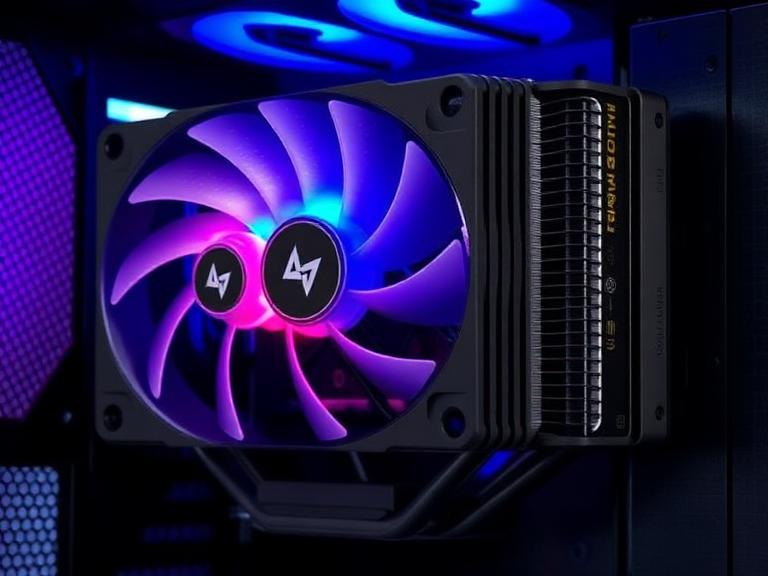
Gaming PCs today are pushing more power than ever before, and that means one thing—heat. When your CPU starts working hard in AAA titles or during streaming sessions, temperatures can climb quickly. That’s where good AIO coolers come into play. These all-in-one liquid cooling systems are designed to pull heat away from your processor far more efficiently than traditional air coolers, helping maintain stable performance during long gaming marathons.
Think of your CPU like a high-performance engine. Without proper cooling, it’s like driving a sports car without a radiator—it might run fast for a while, but it won’t last. AIO coolers act like that radiator, constantly pulling heat away and keeping everything running smoothly.
Modern gamers prefer AIO coolers not only for performance but also for aesthetics. RGB lighting, sleek pump designs, and minimal clutter make them a favorite in transparent PC builds. But beyond looks, the real question is—do they actually perform better? The answer depends on the model, radiator size, and brand engineering.
What Makes Good AIO Coolers Stand Out?
Not all liquid coolers are created equal. Some are built for extreme performance, while others focus on silence or design. Understanding what separates good AIO coolers from average ones helps you make a smarter purchase.
Thermal performance and heat dissipation
The primary job of any cooler is to control temperature. High-end AIOs use large radiators (240mm, 280mm, or 360mm) and powerful pumps to move heat away efficiently. According to recent benchmark testing, top-tier models can handle modern high-end CPUs with ease under gaming and productivity loads, keeping temperatures stable even under heavy stress .
A thicker radiator and high static-pressure fans also play a major role. The better the airflow through the radiator, the faster heat gets expelled. That’s why 360mm AIOs often outperform smaller units.
Noise levels and acoustics
A silent gaming experience is just as important as a cool CPU. Some AIOs achieve excellent cooling but sound like a small jet engine under load. The best models balance performance with acoustics, adjusting fan curves intelligently.
Premium brands optimize pump noise and fan RPM so that even during intense gameplay, you barely hear anything above ambient room noise.
Build quality and reliability
AIO coolers are sealed systems, meaning longevity depends heavily on manufacturing quality. Tubing durability, pump lifespan, and corrosion resistance all matter. Good AIO coolers often come with warranties ranging from 3 to 6 years, reflecting manufacturer confidence.
Top Performance-Focused AIO Coolers in 2026
When it comes to raw performance, a few names consistently dominate gaming benchmarks.
Arctic Liquid Freezer III Pro overview
Among enthusiasts, the standout performer is the Arctic Liquid Freezer III Pro from Arctic. It is widely regarded as one of the strongest-performing AIO coolers available today, especially in 360mm configurations. In real-world tests, it handles high-end CPUs with ease while maintaining excellent thermal efficiency under sustained loads .
Its design includes a thick radiator and high-performance fans that prioritize heat transfer over flashy aesthetics. It’s not the quietest or most RGB-heavy option, but when it comes to cooling power, it’s often at the top of the charts.
Why it dominates thermal benchmarks
The reason this cooler performs so well is simple—engineering focus. Instead of prioritizing visuals, it focuses on raw cooling capability. The pump is efficient, airflow is optimized, and the radiator thickness gives it more surface area for heat dissipation. Gamers running high-wattage CPUs like Intel Core i7 or Ryzen 9 series benefit the most.
Corsair iCUE H150i series overview
Another strong contender comes from Corsair with its iCUE H150i lineup. These coolers combine strong thermal performance with premium software integration. You get precise control over fan curves, RGB lighting, and system monitoring through Corsair’s iCUE software ecosystem.
While it may not always beat Arctic in raw temperature numbers, it offers a more refined user experience. For gamers who love customization and synchronized RGB builds, it’s a compelling choice.
Software and ecosystem advantage
Corsair’s ecosystem allows users to connect multiple components—RAM, fans, keyboards—into one unified control system. This makes tuning your gaming PC easier and more visually cohesive.
NZXT AIO Coolers: Are They Good for Gaming PCs?
When people ask “are NZXT aio coolers good”, they’re usually referring to the popular Kraken series from NZXT.
NZXT Kraken performance review
NZXT Kraken coolers are solid performers in the mid-to-high range. They deliver stable CPU temperatures and are more than capable of handling modern gaming CPUs. However, their biggest selling point is design—clean aesthetics, RGB rings, and optional LCD displays.
In terms of raw cooling, they generally sit slightly below the top performance leaders like Arctic, but they are still well within safe thermal limits for gaming and streaming.
Aesthetic vs performance tradeoff
If you want maximum FPS stability and lowest temperatures, NZXT is not always the absolute best value. But if your goal is a visually stunning build with strong performance, NZXT hits a sweet spot. It’s a balance between beauty and function rather than pure cooling dominance.
Best Budget Good AIO Coolers for Gamers
Not every gaming PC needs a premium $200+ cooler. Budget-friendly AIOs can still deliver excellent performance for mid-range CPUs.
Brands like DeepCool, Cooler Master, and entry-level Arctic models offer strong thermal results at lower prices. These coolers are ideal for gamers using CPUs like Ryzen 5 or Intel Core i5 processors, where extreme cooling headroom is not necessary.
The key is choosing a reliable 240mm radiator model with decent airflow. Even budget AIOs today are far better than older generation liquid coolers.
240mm vs 360mm AIO Coolers
Choosing the right size is one of the most important decisions.
- 240mm AIO coolers: Great for mid-tower builds, balanced performance, easier installation.
- 360mm AIO coolers: Best for high-end CPUs, better sustained cooling, lower noise at same performance.
If you’re running flagship CPUs or planning heavy overclocking, a 360mm unit is worth it. Otherwise, a good 240mm AIO is more than enough for gaming.
Cooling Performance Compared (Table)
| Cooler Type | Performance | Noise Level | Best Use Case |
|---|---|---|---|
| 240mm AIO | Good | Moderate | Mid-range gaming PCs |
| 360mm AIO | Excellent | Low-Medium | High-end gaming & streaming |
| Premium AIO (Arctic/Corsair) | Best | Low | Enthusiast builds |
| NZXT Kraken | Very Good | Low | Aesthetic-focused build |
Noise Levels and Real-World Gaming Temperatures
In real gaming scenarios, temperature spikes depend heavily on CPU usage and case airflow. High-quality AIOs maintain stable temperatures in the 60–75°C range during gaming, even on demanding processors.
Noise levels vary, but premium models often stay under 40 dBA during gaming, which is barely noticeable. Budget models may ramp up under heavy load but remain acceptable for most users.
Installation Difficulty and Case Compatibility
Installing an AIO cooler is not overly complex, but it requires planning. You need to ensure your PC case supports the radiator size and that airflow direction is optimized.
Top-mounted radiators usually provide the best heat exhaust performance, while front-mounted radiators improve CPU cooling slightly at the cost of internal case temperature balance.
Common Mistakes When Buying AIO Coolers
Many buyers focus only on RGB lighting and forget about compatibility. Others underestimate radiator size requirements or ignore CPU thermal limits.
Another common mistake is overspending on cooling for low-power CPUs where even a basic air cooler would be enough.
Future of AIO Liquid Cooling in Gaming PCs
AIO technology continues to evolve with better pumps, quieter operation, and smarter software integration. We are also seeing hybrid designs that improve VRM and RAM cooling, along with LCD-based personalization trends.
As CPUs become more powerful, demand for efficient cooling solutions will only increase, making AIOs a long-term staple in gaming PC builds.
Conclusion
Good AIO coolers are no longer just luxury components—they are essential tools for maintaining performance in modern gaming PCs. Whether you choose a performance-focused option like Arctic, a balanced ecosystem like Corsair, or a design-heavy NZXT Kraken, the right cooler depends on your priorities.
What matters most is matching your CPU, case, and usage style with the correct radiator size and cooling capability. Once that alignment is right, your gaming experience becomes smoother, quieter, and far more stable.
FAQs
1. Are good AIO coolers worth it for gaming PCs?
Yes, especially for high-end CPUs. They help maintain stable temperatures and improve sustained performance during long gaming sessions.
2. What size AIO cooler is best for gaming?
A 240mm AIO is enough for mid-range builds, while 360mm is ideal for high-performance gaming PCs.
3. Are NZXT AIO coolers good for gaming performance?
Yes, NZXT coolers perform well, but they prioritize aesthetics and design over absolute thermal dominance.
4. How long do AIO coolers last?
Most high-quality AIOs last 4–6 years depending on usage and maintenance.
5. Do AIO coolers improve FPS in games?
Not directly, but they prevent thermal throttling, which helps maintain consistent FPS during heavy loads