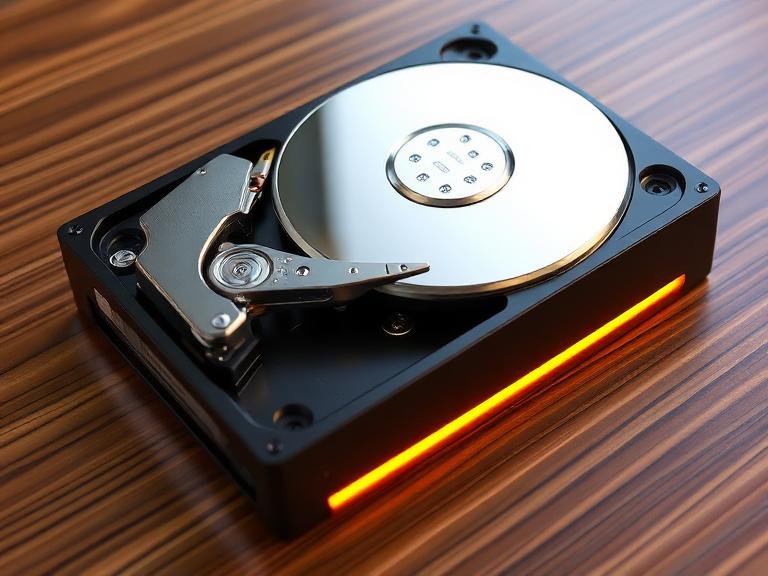
When people search for the fastest hard drive, they’re often imagining lightning-fast file transfers, instant boot times, and zero lag. But what does “fastest” actually mean in technical terms? It’s not just one number—it’s a combination of read speed, write speed, latency, and IOPS (input/output operations per second). These metrics together define how quickly your storage can respond to tasks, whether you’re opening apps, transferring files, or loading games.
Think of your hard drive like a highway. A faster drive doesn’t just move cars quickly—it reduces traffic jams, increases lanes, and ensures smooth flow. That’s exactly what modern SSDs do compared to older HDDs. In 2026, top-tier SSDs can reach mind-blowing speeds of over 14,900 MB/s read and 14,700 MB/s write, which is almost unimaginable compared to traditional drives.
The difference becomes obvious when you’re handling large files. For instance, transferring a 50GB video file on an older drive might take minutes, while a high-speed SSD completes it in seconds. That’s why professionals, gamers, and even casual users are now prioritizing speed over everything else. Speed isn’t just a luxury anymore—it’s a necessity in a world where file sizes keep growing.
Speed Metrics Explained (Read, Write, IOPS)
Understanding speed starts with three key terms. Read speed measures how fast data is accessed, while write speed tells you how quickly data can be saved. Then there’s IOPS, which indicates how many operations a drive can handle per second—crucial for multitasking and heavy workloads.
Modern SSDs dominate in all three areas. While HDDs struggle to cross 200 MB/s, SSDs easily exceed thousands of MB/s. And with millions of IOPS available in advanced drives, multitasking feels effortless.
Why Speed Matters in Real Life
Speed impacts everything—from booting your system to editing 4K videos. Imagine clicking a program and having it open instantly. That’s not magic—it’s fast storage working behind the scenes.
Types of Hard Drives and Their Speeds
Not all drives are created equal. If you’re hunting for the fastest solid state hard drives, you need to understand the main categories available today.
HDD vs SSD vs NVMe
Traditional HDDs use spinning disks, making them slower and more prone to mechanical delays. SSDs, on the other hand, use flash memory, eliminating moving parts and boosting speed dramatically. NVMe SSDs go a step further by using the PCIe interface, unlocking insane performance levels.
Here’s a quick comparison:
| Type | Speed Range | Best For |
|---|---|---|
| HDD | 80–200 MB/s | Cheap storage |
| SATA SSD | 500–600 MB/s | Budget upgrades |
| NVMe SSD | 3,000–14,000+ MB/s | High performance |
The difference is night and day. Once you switch to NVMe, going back feels like downgrading from a sports car to a bicycle.
External vs Internal Drives
External drives offer portability, while internal drives deliver maximum performance. However, modern external SSDs are catching up quickly, thanks to faster interfaces like USB4.
Fastest Hard Disk Drive vs SSD – Which Wins?
Let’s settle this once and for all—SSD wins, and it’s not even close.
Limitations of HDD Technology
HDDs rely on spinning platters and mechanical arms, which introduces delays. Even the fastest hard disk drive can’t compete with SSD speeds because physical movement always slows things down.
SSD Advantages
SSDs eliminate mechanical parts, resulting in faster speeds, lower latency, and better durability. That’s why most modern systems no longer rely on HDDs for performance tasks.
Fastest Solid State Hard Drives in 2026
Now we’re talking about the real champions.
PCIe Gen 4 vs Gen 5 SSDs
PCIe Gen 4 SSDs already offer speeds around 7,000 MB/s, but Gen 5 takes it to another level. Drives like the WD_Black SN8100 and Corsair MP700 Pro XT deliver speeds close to 15,000 MB/s, making them the fastest consumer storage options available today.
Real Benchmark Speeds
These aren’t just theoretical numbers. Real-world benchmarks confirm that these drives maintain high performance even under heavy workloads, making them ideal for professionals and gamers alike.
Fastest External Hard Drive Options
If portability matters, you’ll want the fastest external hard drive.
USB 3.2 vs USB4 vs Thunderbolt
The interface plays a huge role. USB 3.2 offers decent speeds, but USB4 and Thunderbolt unlock the true potential of external SSDs.
Top External SSD Performance
Recent tests show external SSDs reaching up to 3,724 MB/s read and 3,112 MB/s write, rivaling internal drives.
That’s insane for something you can carry in your pocket.
Fastest External Hard Drive for Mac
Mac users often need specialized compatibility.
macOS Compaatibility
Apple systems perform best with drives formatted in APFS or exFAT. Thunderbolt drives are especially powerful when paired with Macs.
Best Performance Picks for Mac Users
The fastest external hard drive for Mac typically uses Thunderbolt or USB4, ensuring seamless performance and compatibility.
Key Factors That Affect Hard Drive Speed
Speed isn’t just about the drive—it’s about the entire system.
Interface & Connectivity
Your motherboard, cables, and ports all influence performance. A PCIe Gen 5 SSD won’t reach full speed on a Gen 3 slot.
Cache & Controller
High-end controllers and DRAM cache significantly boost performance, especially during heavy workloads.
How to Choose the Fastest Hard Drive for Your Needs
Choosing the right drive depends on how you plan to use it.
Gaming
Gamers benefit from faster load times and smoother gameplay with NVMe SSDs.
Video Editing
Editing large files demands high write speeds and consistent performance.
Everyday Use
Even casual users notice faster boot times and app launches.
Price vs Performance – Is Faster Always Better?
Speed comes at a cost.
Cost Per GB Analysis
Faster drives are more expensive, especially Gen 5 SSDs.
Real-World Performance Differences
Interestingly, not all tasks benefit equally. Some everyday applications don’t fully utilize extreme speeds yet.
Future of Hard Drive Speeds
The future looks insanely fast.
PCIe Gen 6 SSDs
New SSDs are reaching up to 28 GB/s speeds, doubling current performance levels.
AI Storage Trends
AI workloads are pushing storage innovation, leading to even faster and smarter drives.
Conclusion
The search for the fastest hard drive ultimately leads to one clear answer—modern NVMe SSDs dominate the market. Whether you’re looking for the fastest external hard drive, the best option for Mac, or the most powerful internal SSD, speed has reached levels that were unimaginable just a few years ago. With technologies like PCIe Gen 5 and upcoming Gen 6, storage is no longer a bottleneck—it’s becoming one of the most powerful components in your system.
FAQs
1. What is the fastest hard drive in 2026?
The fastest drives are PCIe Gen 5 NVMe SSDs, reaching speeds close to 15,000 MB/s.
2. Are external SSDs as fast as internal ones?
High-end external SSDs using USB4 or Thunderbolt can reach over 3,000 MB/s, making them very competitive.
3. Is HDD still worth buying?
Yes, for cheap storage, but not for speed.
4. What is the fastest external hard drive for Mac?
Thunderbolt or USB4 SSDs offer the best performance for Mac users.
5. Do I need the fastest SSD for everyday use?
Not necessarily—mid-range SSDs are more than enough for basic tasks.