If you’ve ever spent hours—or even days—editing hundreds of photos, you already know how exhausting and repetitive the process can be. This is exactly where EvotoAI changes the game. It’s not just another editing software; it’s an AI-powered workflow system designed specifically for photographers who deal with bulk images regularly. Whether you’re shooting weddings, fashion, or portraits, the goal is simple: reduce editing time without sacrificing quality.
Recent insights show that tools like Evoto can cut editing workloads dramatically, with photographers reporting that tasks that once took days can now be completed in minutes thanks to AI automation . That’s not a small upgrade—it’s a complete workflow revolution. Instead of manually adjusting every photo, you’re essentially teaching the software how to edit once and letting it replicate that style across hundreds of images.
What makes this even more powerful is the balance between automation and control. You’re not handing over your creative vision entirely to a machine—you’re guiding it. Think of EvotoAI as your assistant, not your replacement. It handles the repetitive heavy lifting, so you can focus on creative decisions that actually matter.
The Rise of AI in Photo Editing
AI in photo editing isn’t just a trend anymore—it’s becoming the standard. Traditional tools like Photoshop or Lightroom still dominate, but they require significant manual effort and expertise. AI tools, on the other hand, analyze images and make intelligent adjustments automatically. This means faster workflows, consistent results, and less burnout.
Evoto stands out because it combines multiple stages of editing into one platform—from culling to retouching and color grading. According to recent workflow developments, it even integrates AI culling, background editing, and batch processing into a single streamlined system . That’s a big deal because most photographers used to juggle multiple apps just to finish one project.
Imagine having thousands of wedding photos. Instead of sorting, editing, and retouching manually, AI can now filter, enhance, and finalize them in a fraction of the time. It’s like switching from hand-washing clothes to using a washing machine—you’ll never go back.
Understanding the Evoto AI Photo Editor
Key Features of Evoto AI Photo Editor
The evoto ai photo editor is built with one goal: speed with precision. But speed alone isn’t enough—it also needs to produce results that look natural, not artificial. That’s where Evoto excels. It uses advanced AI models to detect faces, skin textures, lighting conditions, and even emotional expressions.
Some standout features include:
- AI Culling – Automatically selects the best shots by detecting blinks, blur, and duplicates
- Batch Editing – Apply edits across hundreds of photos instantly
- Skin Retouching – Smooth skin while preserving natural texture
- Color Matching – Synchronize tones across an entire gallery
- Background Editing – Remove or replace backgrounds in seconds
What’s interesting is how these features work together. For example, once AI selects your best images, you can apply a preset that automatically adjusts exposure, skin tone, and color grading across all of them. According to recent reviews, this integrated approach significantly reduces the need to switch between multiple tools .
How It Differs from Traditional Tools
Traditional editing tools are like manual cars—you have full control, but they require effort and skill. EvotoAI, on the other hand, is more like an automatic car with smart navigation. It still gives you control, but it removes unnecessary friction.
One key difference is non-destructive batch editing. Instead of editing each photo individually, you create a “style” and apply it globally. Another major difference is AI-driven decision-making. Evoto doesn’t just apply filters—it analyzes each image and adjusts accordingly.
This means your edits aren’t just faster—they’re smarter. And when you’re dealing with bulk photo editing, that intelligence makes all the difference.
Step-by-Step EvotoAI Workflow
Step 1: AI Culling for Faster Selection
Let’s start with the most time-consuming part of photography: selecting the best shots. Normally, this involves scrolling through hundreds (or thousands) of images and manually picking the good ones. With EvotoAI, this step becomes almost effortless.
The AI culling feature scans your entire photo library and identifies:
- Blurry images
- Closed eyes
- Duplicate shots
- Poor exposure
It then organizes them into categories, allowing you to quickly choose the best images. According to workflow data, this process can reduce hours of manual sorting to just minutes .
Think of it like having a super-fast assistant who never gets tired. Instead of second-guessing every photo, you’re simply reviewing AI suggestions. This not only saves time but also reduces decision fatigue.
Step 2: Batch Editing with Presets
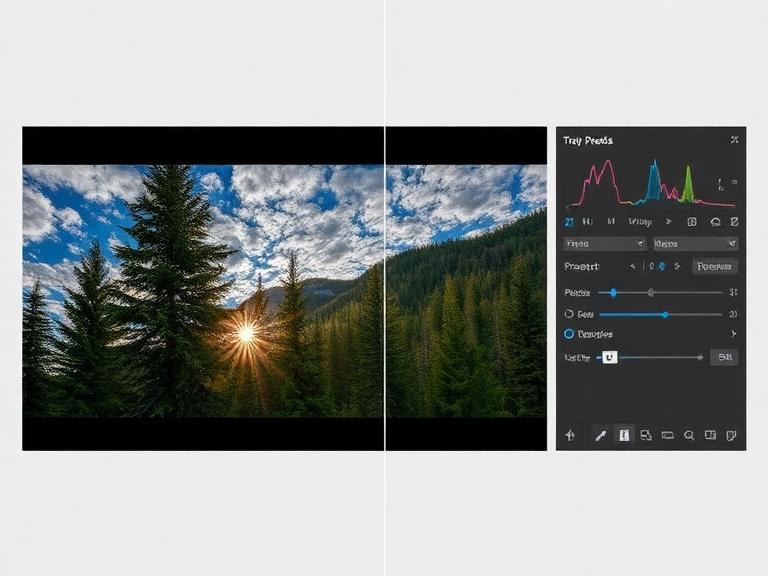
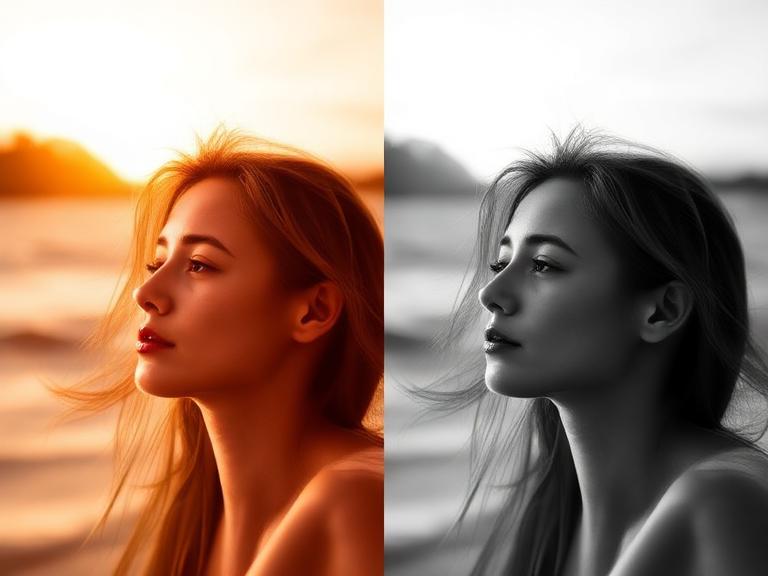
Once your images are selected, the next step is where the magic happens: batch editing. This is the core strength of EvotoAI. You create a preset—or use an existing one—and apply it to all your photos at once.
These presets can include:
- Exposure adjustments
- Skin retouching
- Color grading
- Background cleanup
What’s powerful here is consistency. Every photo in your gallery will have the same look and feel, which is crucial for professional work like weddings or brand shoots.
Evoto allows you to apply project-wide presets, meaning every imported image automatically receives the same adjustments . This ensures a cohesive visual style without repetitive work.
Step 3: Fine-Tuning Individual Images
Even with AI, some photos need special attention. Maybe the lighting is tricky, or the subject’s expression needs tweaking. That’s where single-image editing comes in.
You can:
- Adjust sliders for exposure and color
- Refine skin retouching
- Fix specific details
The best part? These adjustments can be synced across selected images. So if you fix one photo, you can apply the same fix to similar shots instantly.
This hybrid approach—bulk editing plus fine-tuning—gives you the best of both worlds: speed and precision.
Advanced Features That Save Time
Evoto AI Smile Filter Explained
The evoto ai smile filter is one of those features that feels almost futuristic. It can subtly enhance or even generate a natural-looking smile. This is incredibly useful for group photos or portraits where not everyone is perfectly posed.
Instead of reshooting or manually editing expressions, you can fix them in seconds. The key here is subtlety—used correctly, it enhances expressions without looking fake.
Evoto AI Hair Color Changer Use Cases
The evoto ai hair color changer isn’t just for fun—it’s actually a powerful creative tool. Photographers and clients can experiment with different looks without committing to permanent changes.
Use cases include:
- Testing styling options for shoots
- Creating artistic variations
- Enhancing brand campaigns
It’s like having a virtual makeover studio built into your editing software.
AI Background and Retouching Tools
Background editing used to be one of the most time-consuming tasks. Now, AI can remove or replace backgrounds with near-perfect accuracy—even handling complex details like hair.
Combine this with automatic blemish removal, wrinkle reduction, and lighting adjustments, and you’ve got a complete retouching suite that works in seconds.
Bulk Editing Tips for Maximum Efficiency
Use Project Presets Smartly
If you want to truly save time, presets are your best friend. Create presets for different scenarios—weddings, portraits, fashion—and reuse them. This eliminates repetitive setup work.
Sync Edits Across Images
Always look for opportunities to sync edits. If multiple photos were taken under similar conditions, there’s no reason to edit them individually.
Avoid Over-Editing with AI
Here’s a common mistake: relying too much on AI sliders. While it’s tempting to max out every setting, subtle adjustments often produce more natural results. Many professionals recommend keeping skin retouching at moderate levels to preserve texture .
Imagen AI vs Evoto: Which One Wins?
Feature Comparison Table
| Feature | EvotoAI | Imagen AI |
|---|---|---|
| Batch Editing | ✅ Advanced | ✅ Advanced |
| AI Culling | ✅ Built-in | ❌ Limited |
| Portrait Retouching | ✅ Highly detailed | ⚠️ Moderate |
| Workflow Integration | ✅ All-in-one | ❌ Requires multiple tools |
| Pricing Model | Pay-per-export | Subscription |
Best Use Cases for Each Tool
When comparing imagen ai vs evoto, the difference comes down to workflow preferences. Evoto is ideal for photographers who want an all-in-one solution, while Imagen AI is better suited for those already invested in Lightroom workflows.
Evoto shines in speed and automation, while Imagen focuses more on style replication.
Real Workflow Example (Event Photographer)
Before Using EvotoAI
Imagine editing 2,000 wedding photos manually. You’d spend:
- Hours sorting images
- Days retouching
- Additional time ensuring consistency
It’s exhausting and often leads to burnout.
After Implementing Evoto Workflow
With EvotoAI:
- AI selects the best images in minutes
- Presets apply edits instantly
- Final tweaks take only a few hours
Some photographers even report same-day delivery, which can significantly boost client satisfaction and revenue.
Pros and Cons of EvotoAI
Pros:
- Massive time savings
- Consistent results
- Easy to use
- Powerful AI features
Cons:
- Credit-based pricing can add up
- Requires internet for some features
- Not ideal for extreme close-up edits
Conclusion
EvotoAI isn’t just a tool—it’s a workflow transformation. It takes the most tedious parts of photo editing and automates them intelligently, allowing photographers to focus on creativity instead of repetition. Whether you’re handling weddings, portraits, or commercial shoots, the ability to edit hundreds of photos quickly without sacrificing quality is a game-changer.
If you’re still stuck in a manual editing loop, switching to an AI-powered workflow like Evoto might be the upgrade you didn’t know you needed.
FAQs
1. Is EvotoAI suitable for beginners?
Yes, it’s designed with an intuitive interface, making it accessible even for those with minimal editing experience.
2. Does EvotoAI replace Photoshop completely?
Not entirely. While it handles most bulk editing tasks, advanced retouching may still require Photoshop.
3. How does EvotoAI pricing work?
It uses a pay-per-export credit system, meaning you only pay for final edited images.
4. Can EvotoAI handle RAW files?
Yes, it supports RAW processing along with JPEG formats.
5. Is EvotoAI better than Imagen AI?
It depends on your workflow. Evoto is better for all-in-one editing, while Imagen AI works well with Lightroom users.