When you hear the term Minecraft system requirements, you might think it’s just a boring list of specs—but it’s actually the difference between smooth gameplay and frustrating lag. These requirements define the minimum and recommended hardware your PC needs to run Minecraft properly. Whether you’re building massive castles or exploring caves, your experience depends heavily on your system.
Think of your PC like a car. If Minecraft is the road, your hardware determines how fast and smoothly you can drive. A weak setup might still move, but expect bumps, slowdowns, and occasional breakdowns. On the other hand, a powerful system gives you a seamless, enjoyable ride.
Why Requirements Change Over Time
Minecraft has evolved massively over the years. New updates bring better graphics, larger worlds, and more complex mechanics. According to recent updates, even minimum RAM requirements are gradually increasing, especially for newer versions and multiplayer scenarios .
Java vs Bedrock Differences
Minecraft comes in two main versions: Java Edition and Bedrock Edition. Java is more flexible and mod-friendly but demands more from your CPU. Bedrock, on the other hand, is optimized for smoother performance and works better on low-end devices.
Minecraft Minimum System Requirements (2026)
Let’s talk about the minecraft minimum system requirements—the absolute baseline needed to run the game.
CPU Requirements
Minecraft doesn’t need a supercomputer, but it does require a decent processor. A basic dual-core CPU like an Intel Core i3 or AMD equivalent is enough to get started. The game relies heavily on single-core performance, so clock speed matters more than the number of cores.
RAM Requirements
You can technically run Minecraft on 2GB RAM, but it’s far from ideal. Official guidance shows 2GB as a bare minimum, but performance issues like lag and crashes are common . Expect low render distances and frequent stutters.
GPU Requirements
Surprisingly, Minecraft isn’t very GPU-intensive at the basic level. Integrated graphics like Intel HD Graphics 4000 or AMD Radeon R5 are enough. However, visual enhancements like shaders can drastically increase GPU demands.
Storage Requirements
Minecraft itself is lightweight. The core game requires around 2GB to 4GB of storage, depending on updates and additional files . But worlds, mods, and texture packs can quickly increase this.
Minecraft Recommended System Requirements (2026)
If you want smooth gameplay, higher FPS, and better visuals, you’ll need to meet the minecraft recommended system requirements.
Ideal CPU Specs
A modern Intel Core i5 or AMD Ryzen 5 processor is the sweet spot. Minecraft benefits from high clock speeds, especially when rendering chunks or running mods.
Ideal RAM Specs
8GB RAM is now considered the standard for comfortable gameplay . It allows smoother multitasking, better chunk loading, and fewer crashes.
Ideal GPU Specs
A dedicated GPU like NVIDIA GeForce GTX series or AMD Radeon equivalent improves performance significantly. If you plan to use shaders or RTX features, a much stronger GPU is required.
SSD vs HDD Performance
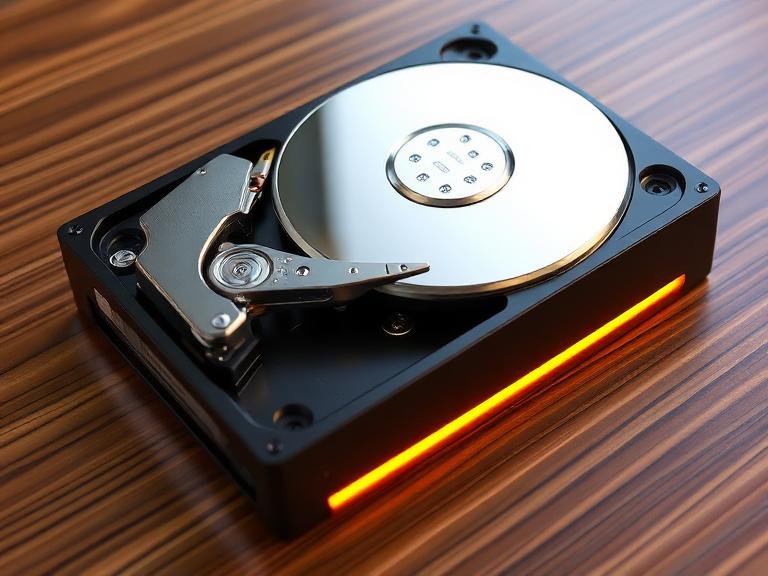
Using an SSD instead of an HDD can drastically improve loading times. Faster storage means quicker world generation and reduced lag spikes.
Minimum vs Recommended Specs Comparison Table
| Component | Minimum Specs | Recommended Specs |
|---|---|---|
| CPU | Intel Core i3 / AMD equivalent | Intel Core i5 / Ryzen 5 |
| RAM | 2GB–4GB | 8GB+ |
| GPU | Integrated graphics | Dedicated GPU (GTX/RX series) |
| Storage | 2GB–4GB | SSD with 4GB+ free space |
Can I Run Minecraft on 2GB RAM?
Yes, you can run Minecraft on 2GB RAM—but should you? That’s a different story.
Running Minecraft on 2GB RAM is like trying to run a marathon in flip-flops. It works, but it’s uncomfortable and inefficient. You’ll experience lag, crashes, and limited render distance. Even basic tasks like loading chunks or joining multiplayer servers can become frustrating.
For single-player survival on low settings, it might be acceptable. But if you’re planning to use mods or shaders, forget it. You’ll need at least 4GB to 8GB RAM for a decent experience.
Is Minecraft CPU or GPU Heavy?
This is one of the most common questions—and the answer might surprise you.
Minecraft is primarily CPU-heavy, not GPU-heavy. The game’s engine relies heavily on processing tasks like chunk generation, entity updates, and world simulation. That’s why a faster CPU often improves performance more than a better GPU.
However, once you add shaders or ray tracing, the GPU becomes much more important. At that point, Minecraft shifts from CPU-bound to GPU-bound, especially with high-end visual mods.
How Many GB Is Minecraft in 2026?
The base installation of Minecraft is relatively small, typically around 2GB to 4GB . But here’s where things get interesting—your actual storage usage can grow significantly.
If you install mods, resource packs, and multiple worlds, the size can easily exceed 10GB or more. Large modpacks and multiplayer servers can take up even more space.
Performance Tips for Low-End PCs
If your PC barely meets the minecraft system requirements pc, don’t worry—you can still optimize performance:
- Lower render distance
- Use optimization mods like OptiFine or Sodium
- Close background applications
- Allocate RAM wisely
These tweaks can turn a laggy experience into a playable one.
Best PC Setup for Minecraft (Budget to High-End)
Choosing the right setup depends on your goals.
- Budget Build: 8GB RAM, integrated GPU, SSD
- Mid-Range Build: 16GB RAM, GTX 1660, Ryzen 5
- High-End Build: 32GB RAM, RTX GPU, Ryzen 7/9
Each tier offers a different experience—from basic gameplay to ultra-realistic visuals with shaders.
Minecraft System Requirements for Mods & Shaders
Mods completely change the game—and your system requirements.
A vanilla setup might run fine on 4GB RAM, but modpacks can require 8GB to 16GB RAM or more . Shaders, especially RTX, demand powerful GPUs and can significantly impact performance.
Common Mistakes That Cause Lag
Even with good hardware, you might still face lag. Why?
- Allocating too much or too little RAM
- Running too many background apps
- Using outdated drivers
- Overloading with mods
Fixing these issues can dramatically improve performance.
Conclusion
Understanding Minecraft system requirements isn’t just about checking boxes—it’s about creating the best possible gaming experience. While Minecraft is known for running on low-end systems, modern updates, mods, and shaders have raised the bar.
If you’re just starting out, minimum specs might be enough. But if you want smooth gameplay and stunning visuals, investing in recommended specs is absolutely worth it.
FAQs
1. What are the PC requirements for Minecraft?
Minimum requirements include a basic CPU, 2GB–4GB RAM, and integrated graphics, while recommended specs suggest 8GB RAM and a dedicated GPU.
2. Can Minecraft run on low-end PCs?
Yes, Minecraft is highly optimized and can run on older systems, though performance may be limited.
3. Is Minecraft more CPU or GPU intensive?
Minecraft is mainly CPU-intensive, but shaders make it GPU-heavy.
4. How much RAM is best for Minecraft?
8GB RAM is ideal for smooth gameplay, while 16GB is better for mods.
5. Does Minecraft require a graphics card?
No, integrated graphics can run the game, but a dedicated GPU improves performance and visuals.